
Keep proof, records, and files organized in one place
RecordAnchor helps you store evidence, receipts, photos, PDFs, notes, and supporting details so you are ready for disputes, claims, repairs, client issues, and everyday recordkeeping.
See it in action
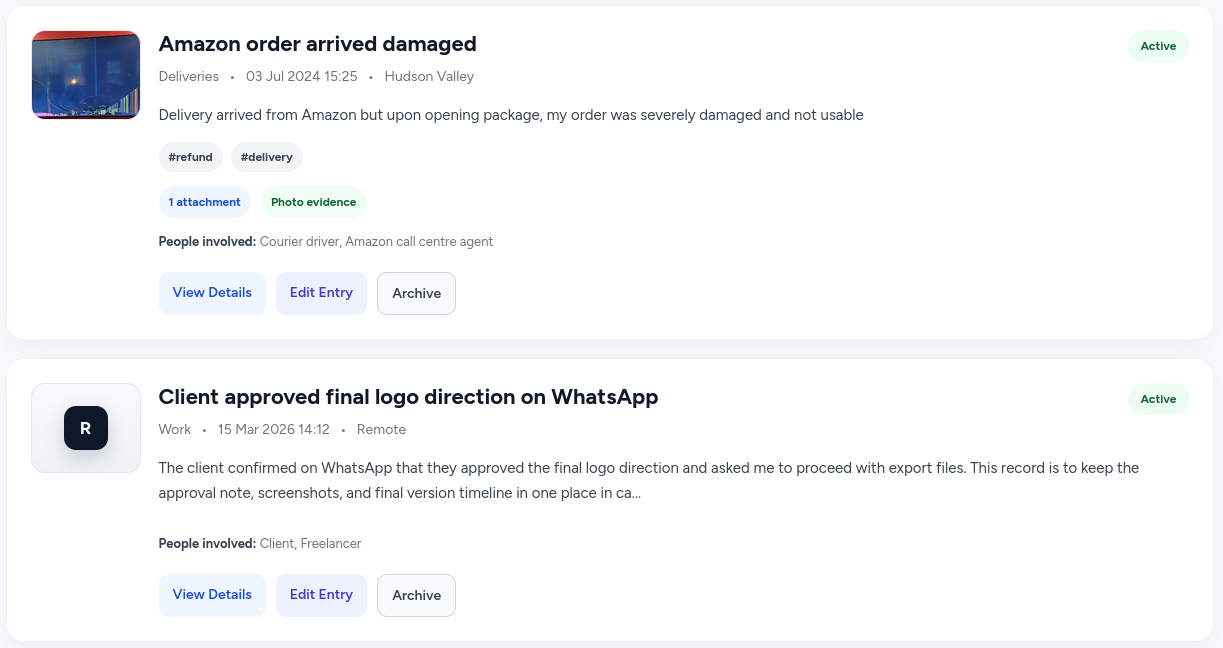
A clear list of all your records, and every detail captured in one place when you need it.
Organize all your records
Search, filter, and sort all your entries — with tags, photos, and attachment counts at a glance.
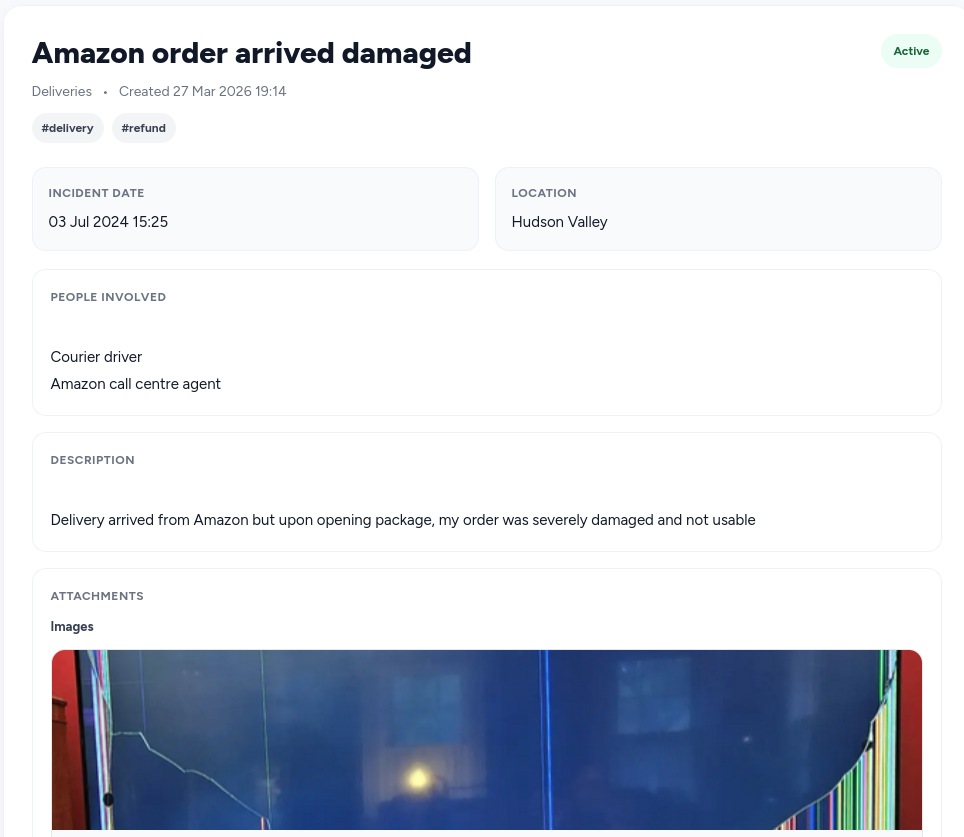
Keep full evidence together
Every entry holds the date, location, people involved, description, and attached photos or PDFs — all in one place.
Built for more than one kind of record
RecordAnchor is flexible enough for everyday people and professionals who need to keep proof organized across real-life situations.
Landlords and tenants
Store property issues, damage photos, repair records, and communication notes.
Tradespeople and contractors
Keep before-and-after photos, job notes, invoices, and supporting files.
Freelancers and consultants
Organize client proof, delivery evidence, revision notes, and dispute records.
Everyday consumers
Save receipts, warranty proof, damaged delivery photos, and refund-related records.
How it works
Create an entry
Add a title, category, date, location, people, and notes.
Attach supporting files
Upload images and PDFs so everything stays together.
Search and organize
Use tags, filters, and sorting to find records quickly later.
Export when needed
Download records as PDFs and keep evidence ready when it matters.
Your records are private and secure
RecordAnchor is built around the principle that your evidence and personal records belong to you — and only you.
Private by default
Your entries and attachments are only accessible by you. No one else can view, search, or access your records.
Encrypted in transit
All data — including file uploads — is transmitted over HTTPS with TLS encryption. Nothing travels in plain text.
Files stored securely
Uploaded photos and PDFs are stored in a protected location on the server — not in a public folder — and are never shared or indexed.
Delete any time
You can delete any entry, any attachment, or your entire account at any time. Deletion is permanent and immediate.
Simple pricing
Start free, then upgrade when you need more space and export power.
Frequently asked questions
A few quick answers before you get started.
What can I store in RecordAnchor?
You can store entries with titles, dates, locations, notes, people involved, tags, and supporting files such as photos and PDFs.
Is there a free plan?
Yes. You can start free with 3 entries, 10 MB of storage, image and PDF uploads, tags, filters, and PDF export.
Who is RecordAnchor for?
It works for landlords, tenants, tradespeople, freelancers, and everyday consumers who need to keep proof and records organized.
Can I export my records?
Yes. PDF export is available on free, and paid plans include ZIP export for attached files.
What happens to my entries if I cancel my subscription?
Your entries and attachments are never deleted when you cancel. You keep full access to everything you've stored — you just won't be able to add new entries beyond the free plan limit of 3. Your data is always yours.
Is my data secure and private?
Yes. All data is transmitted over HTTPS and your uploaded files are stored in a protected location — not a public folder. Only you can access your entries and attachments. We do not sell or share your data. See our Privacy Policy for full details.
Can I cancel anytime?
Yes, no contracts and no lock-in. Cancel anytime from your billing page. You'll keep paid access until the end of your current billing period, then your account moves to the free plan automatically.
What file types can I upload?
You can upload JPG, JPEG, PNG, and PDF files. Each file must be 5 MB or smaller. You can upload up to 10 files at a time when creating or editing an entry.
Stay ready when proof matters
Keep photos, documents, notes, and record details together in one place so you can find what you need when you need it.